Exporting Files
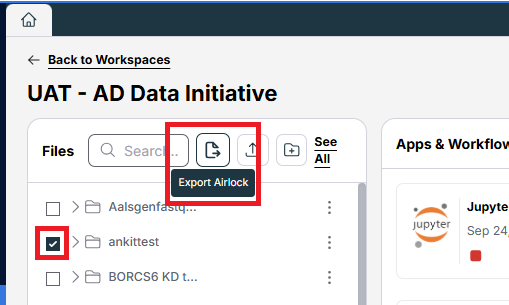
From within the workspace, select the checkbox next to the files you'd like to export, then choose Export Airlock.
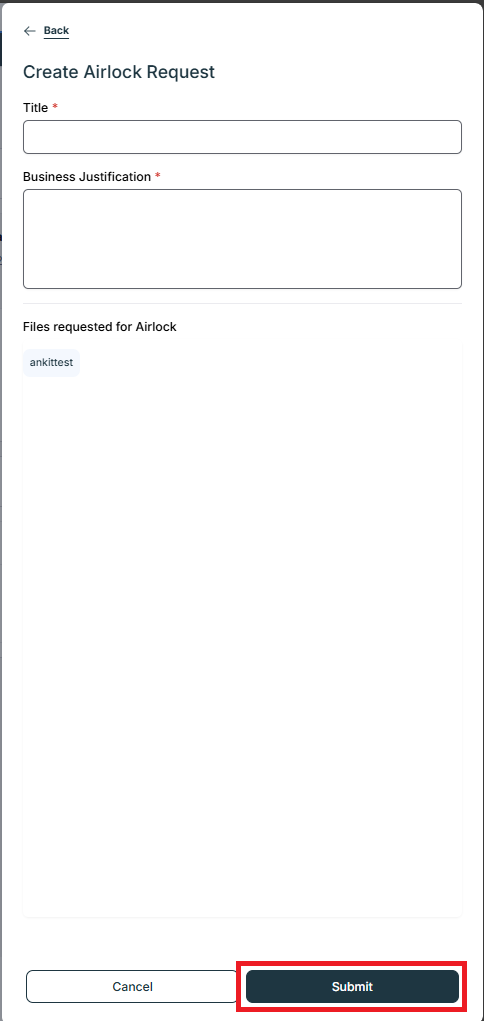
Fill in the required Title and Justification fields and choose Submit.
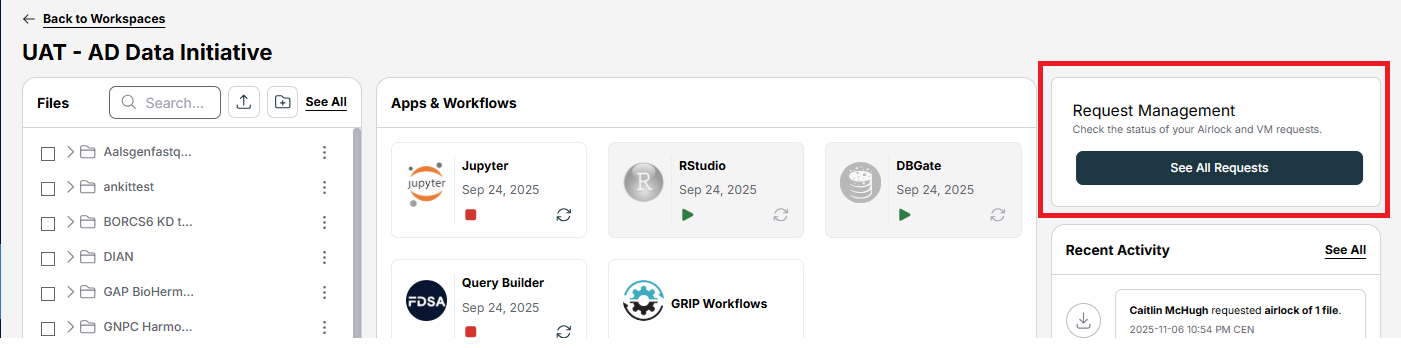
The Workspace Owner(s) will receive an email notification that an Airlock request has been submitted. You can check the status of your request from your workspace homepage by selecting See All Requests from the Request Management box.
Note: The workspace owner must accept their workspace invitation before email notifications for submitted Airlock requests can be sent.
Once actioned, you will receive an email.
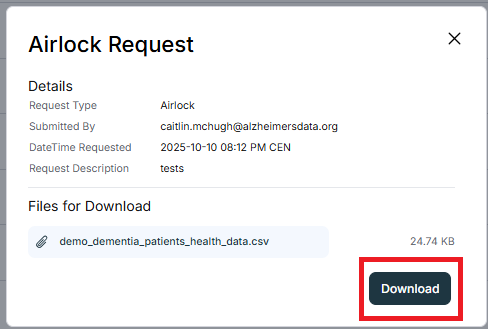
From within your workspace homepage, choose See All Requests. Your airlock request can be seen in the list; choose Details to open the request.

If approved, you can Download the requested files from the request details window.