
Requesting Datasets
Request access to your chosen dataset from the AD Discovery Portal before requesting a workspace.
Submit a Data Access Request
Navigate to the catalog and select the dataset you would like to access. Select "Request Access" on the top right-hand side of the page.
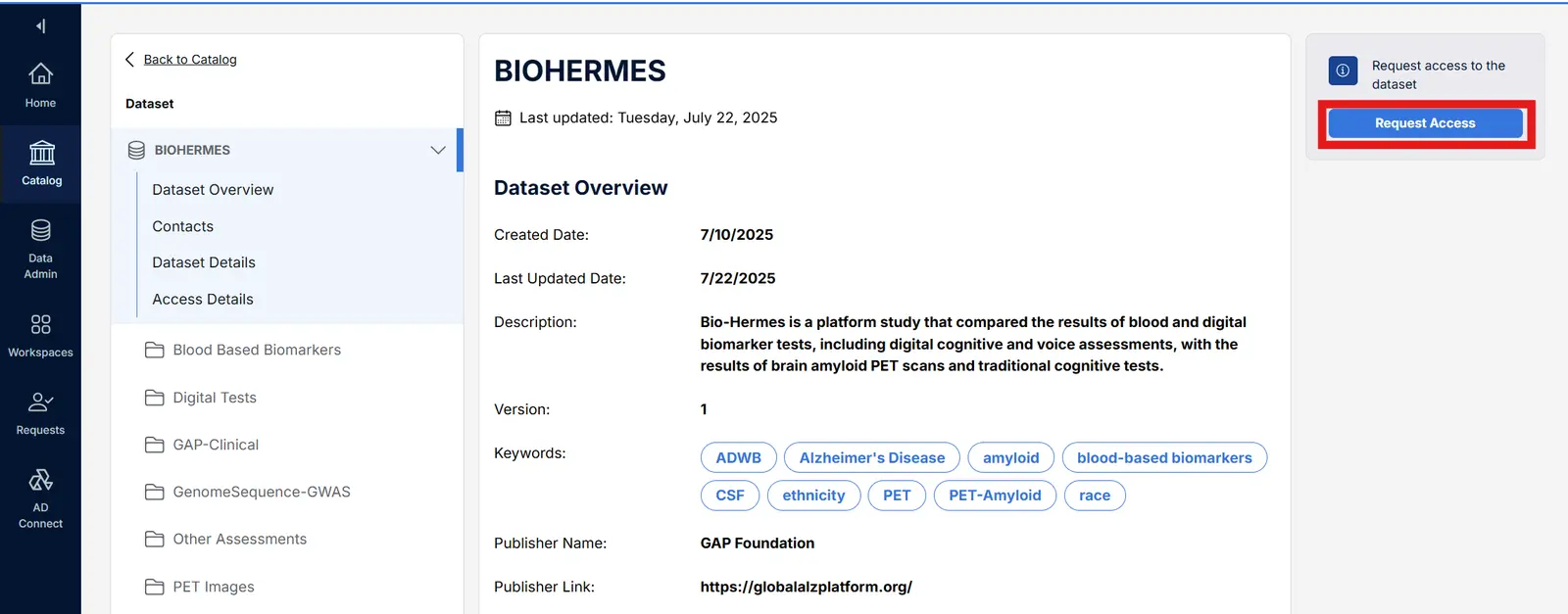
Read the Data Use Agreement (DUA) and access terms for the specific dataset carefully, if applicable, and confirm your request will adhere to all of them. Then prepare and submit your DAR. The below list highlights commonly required fields:
- An institutional email address that matches your stated affiliation — not a personal address
- A project description written as a clear abstract with a stated hypothesis (at least 200 words are often required for successful DARs)
- Your collaborators and their institutions listed, since some data contributors have specific requirements for who must be included on the research team
- A clear research timeline
Once submitted, the DAR will automatically be routed to the dataset approvers for that particular dataset. A submission confirmation email is automatically sent to the submitter, and the request moves into the stage of data contributor’s review. Submitted DARs will show up in your "Requests" tab with the status "pending." Access timelines vary by dataset.
Once actioned, a researcher will receive an email notifying you of the DAR decision. Take the following steps, depending on the DAR outcome:
- Approved: Upload your data into an existing AD Workbench workspace and conduct your analysis. If you do not already have a workspace, the Support team will provision one for you upon DAR approval. Initial workspace provisioning is up to 12 weeks. Note if the dataset you are approved for is accessed via federated analysis, the approval email will offer more details on how to proceed with analysis.
- Denied: DARs may be denied by the data contributor for a variety of reasons (see FAQ for more information). If you would like to resubmit an updated DAR, please feel free to do so, taking into account the feedback from the data contributor. If further clarification is needed, reach out directly to the contact email listed in the dataset’s catalog entry in the Discovery Portal. The Support team can also help you reach out to the data contributor.
- Taking longer than expected: If the DAR is taking longer to process than expected, reach out to the contact email listed in the dataset’s catalog entry in the Discovery Portal. The Support team can also help you reach out to the data contributor.